Orforglipron tracker: how the daily tablet is logged and modelled
Peptrend logs orforglipron as a daily oral dose in milligrams. Version 1.3.3's preset, set from phase 1 studies, uses a 2.3-day half-life, a 3-hour peak and 35% absorption, which draws the curve low against the approved tablet's label. Since version 1.4.0 the preset takes all three from that label at each range's midpoint: 1.6 days, 6 hours, 77%. All three stay editable.
Orforglipron is a once-daily GLP-1 tablet, approved in the US on 1 April 2026 and sold as Foundayo. Unlike semaglutide tablets it is not a peptide, and it is absorbed far better by mouth. Peptrend has a preset for it. In version 1.3.3 that preset was set from the phase 1 papers, and the approved label disagrees with all three of its numbers. Version 1.4.0, now on the App Store, takes all three from the label instead. This post covers how to log the tablet, what each version’s preset draws, and how to set the three constants yourself on either one.
Can you log orforglipron in Peptrend?
Yes. In Settings › Medication, Change Main Medication › Orforglipron sets the route to oral, the interval to one day, and the three constants the curve is built from. The app then renames shots to doses and drops the injection site, vial and pain fields from the dose editor, since none of them apply to a tablet.
Log each tablet in milligrams with the time you took it. The label lists six strengths: 0.8, 2.5, 5.5, 9, 14.5 and 17.2 mg. One defect in version 1.3.3 matters for the top two. Doses of 10 mg and above are rounded to a whole milligram on the Home card, the stat tiles and the history rows, so 14.5 mg reads “14mg” and 17.2 mg reads “17mg” — and the edit sheet opens on the rounded figure too, so correcting only the time of a 14.5 mg dose writes 14 mg back over it. The curve uses whatever is stored, which is the exact figure until an edit rounds it. Since version 1.4.0, the app prints and pre-fills the value that was typed, to three decimal places where it needs them, and an edit sheet saved without touching its number hands back the stored value itself. On 1.3.3, retype the strength in full whenever you open a tablet of 10 mg or more.
The dose log, the In Your System chart and the daily reminder are all free. How much is still in your system explains the chart itself.
How do the presets compare with the label?
Version 1.3.3’s preset came from the phase 1 papers, and the label, revised in July 2026, gives different values for all three constants. Version 1.4.0’s preset is the label, read at the midpoint of each range:
| Constant | 1.3.3 preset | Where 1.3.3’s came from | Approved label | 1.4.0 preset |
|---|---|---|---|---|
| Half-life | 2.3 days (55 h) | 25 to 35 h after one dose and 48 to 68 h on day 28 of daily dosing, in the phase 1a study of 92 healthy participants | approximately 29 to 49 hours | 1.6 days (38.4 h), the midpoint |
| Time to peak | 3 hours | a peak within 2 to 4 hours | 4 to 8 hours post dose | 6 hours, the midpoint |
| Absorbed share | 35% | a note of 30% to 40% in the app’s source | 77% geometric mean absolute bioavailability after a 0.8 mg dose | 77% |
| Interval | daily | once-daily dosing | once daily | daily |
On 1.3.3 the absorbed share is the largest gap. A dedicated disposition study by Morse and colleagues in Clinical Pharmacology in Drug Development measured a mean absolute bioavailability of 79.1% ± 16.8% in ten healthy adults, each given a 1 mg oral capsule while fasting, close to the label’s 77%. Weekly versus daily dosing first set that measurement beside the preset. The label also reports no clinically relevant food effect on exposure.
The source the app shows on screen moves with the numbers. Under the chart’s info button, 1.3.3 cites the phase 1a paper for orforglipron; 1.4.0 cites the Foundayo label’s DailyMed entry, which follows a label through its revisions.
What difference do the label’s values make to the curve?
They lift it and shorten its climb. The table runs the app’s own model at a steady 5.5 mg tablet a day, one of the label’s strengths, once with 1.3.3’s preset and then across the label’s range. A 6-hour peak sits in the middle of the label’s 4 to 8 hours. The half-lives are values the app’s stepper can reach at the short end, middle and long end of that range, and the middle row is 1.4.0’s preset.
| Settings | Half-life | Peak | Absorbed | Modelled range at steady state | 90% of plateau after |
|---|---|---|---|---|---|
| 1.3.3 preset | 2.3 days | 3 h | 35% | 5.52 to 7.20 mg | 7.6 days |
| Label, short end | 1.2 days (28.8 h) | 6 h | 77% | 5.67 to 8.68 mg | 4.0 days |
| Label, middle — 1.4.0 preset | 1.6 days (38.4 h) | 6 h | 77% | 8.05 to 11.16 mg | 5.3 days |
| Label, long end | 2 days (48 h) | 6 h | 77% | 10.46 to 13.64 mg | 6.6 days |
Two effects pull against each other. The higher absorbed share multiplies every dose by 2.2, and the shorter half-life stops as much of it building up. At the short end of the half-life range they nearly cancel on the trough; at the long end the label’s values draw a curve almost twice as high as 1.3.3’s. At 1.4.0’s midpoint the trough lands at 8.05 mg against 1.3.3’s 5.52, and the peak at 11.16 mg against 7.20. The label puts steady state at “approximately 1 week” of daily dosing, and every row reaches 90% of its plateau inside that week except 1.3.3’s.
Those are modelled milligrams, an amount and not a concentration. The label reports concentrations and volumes; the app has neither, and its own copy calls the curve “a simple planning estimate for visualization”.
How do you change the three values?
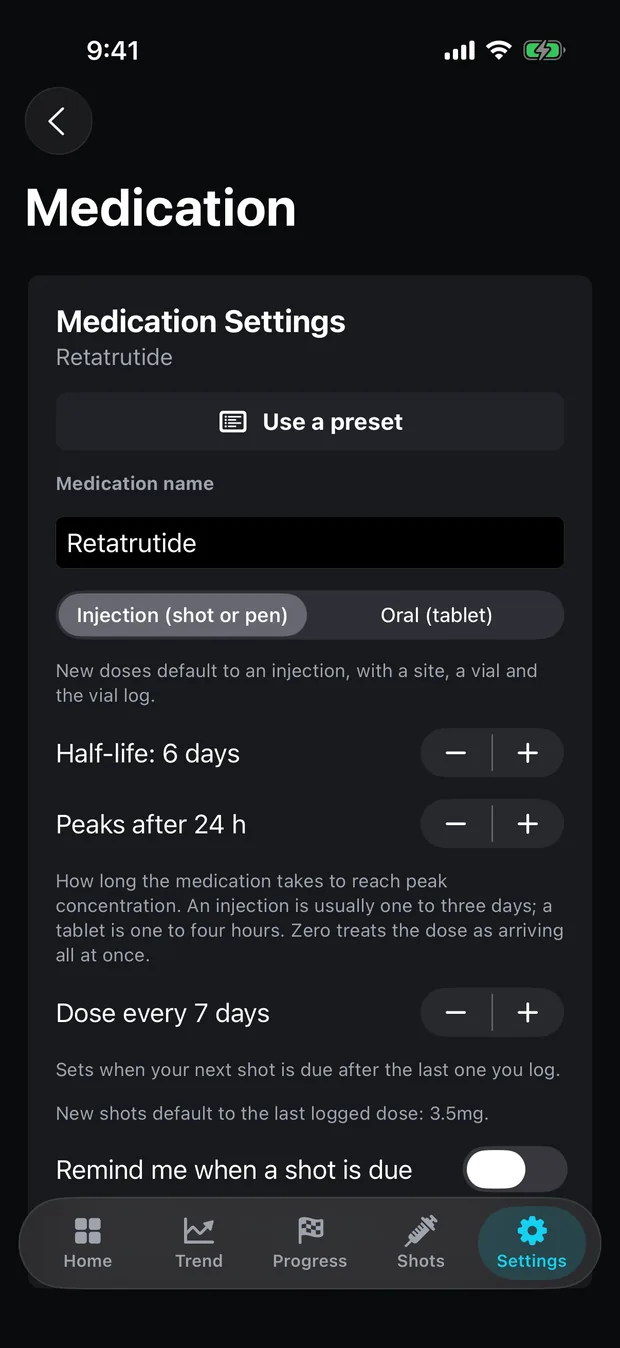
All three live in Settings › Medication, and the Absorbed stepper appears whenever the route is oral:
- Half-life moves in steps of 0.1 day between one and three days, and below two days it is labelled in hours. The label’s range runs from about “29 hours” to “2 days” on that control.
- Peaks after moves in whole hours, from zero to 120.
- Absorbed runs from 0.1% to 100% in steps of 0.1.
The changes reshape the model and touch no logged dose. Choosing the preset again under Change Main Medication puts the label’s values back, and the app says what it will replace before it does. There is no way for the app to know which values suit you, and it does not try: the half-life, peak and absorption on the label are population averages from trials.
What if you switch from an injection to orforglipron?
Since version 1.5.0, each medication keeps its own numbers. Log the first tablet under Orforglipron and answer Switching to it, and the semaglutide doses keep semaglutide’s half-life, peak and absorbed share while orforglipron’s use its own. The In Your System chart then draws semaglutide fading on one line while orforglipron builds on another, and never adds the two. Before 1.5.0 the chart followed one medication name and left the other’s doses out. Both histories stay in the Dose Log either way, and the switching post walks through a switch with numbers.
Each dose is still scaled by its own route. The oral semaglutide post covers how that works for a history that mixes injections and tablets of the same drug, and weekly versus daily dosing explains why a daily tablet draws a ripple where a weekly injection draws teeth.
What will the app not do?
It will not advise. The label describes a dose escalation schedule, rules for a missed dose and changes for certain other medicines, and none of that is in the app. Peptrend does not recommend a strength, a step, or what to do after a skipped tablet, and it has no food logging, so it never knows when you ate.
Other apps name orforglipron support too. On 18 September 2026, GlucoPal’s listing named it among supported pills, MeAgain and Glowise listed it, and the manufacturer’s own app, Lilly Health, covered it at no cost with no in-app purchases. What Peptrend adds is the model: named constants, the sources behind them, and the right to change each one. Foundayo is a trademark of Eli Lilly and Company, and Peptrend is not affiliated with any drug manufacturer. What stays free lists everything available without Pro, and support is where to report a number that looks wrong.
Common questions
Can I track orforglipron in Peptrend?
Yes. The Orforglipron preset in Settings › Medication sets the route to oral and the interval to daily, and each tablet is logged in milligrams with its date and time. The dose log, the In Your System chart and the daily reminder are free.
What half-life does Peptrend use for orforglipron?
It depends on the version. Version 1.3.3 uses 2.3 days, about 55 hours, taken from the phase 1 studies. Version 1.4.0 and later use 1.6 days, the 38-hour midpoint of the prescribing label's approximately 29 to 49 hours. The half-life stepper moves in tenths of a day across that range, so any value on the label is within reach on either version.
Why does Peptrend count only part of each orforglipron tablet?
Every oral dose enters the model at its absorbed share. Version 1.3.3 counts 35%, which sits well under the label's geometric mean absolute bioavailability of 77% after a 0.8 mg dose, so the curve comes out low until you raise the Absorbed setting. Version 1.4.0 and later count the label's 77%.
Does Peptrend tell me when to move up a dose?
No. The app logs the doses you take and draws a milligram estimate from them. It does not recommend a strength, a titration step or what to do after a missed tablet. Those come from the prescriber and the label.
Sources
- FOUNDAYO (orforglipron) tablets — prescribing information, revised 7/2026, DailyMed
- Eli Lilly and Company — FDA approves Foundayo (orforglipron), 1 April 2026
- Pratt E et al. Orforglipron (LY3502970): a Phase 1a single- and multiple-ascending-dose study. Diabetes, Obesity and Metabolism, 2023
- Morse BL et al. Disposition and Absolute Bioavailability of Orally Administered Orforglipron in Healthy Participants. Clinical Pharmacology in Drug Development, 2026
- Lilly Health on the US App Store
- GlucoPal (Zepbound & Mounjaro Tracker) on the US App Store
- MeAgain: GLP-1 Tracker App on the US App Store
- Glowise: GLP-1 Tracker & Diary on the US App Store
- Wadhwa RR, Cascella M. Steady State Concentration. StatPearls, NCBI Bookshelf