Is there a TrendWeight app for iPhone? TrendWeight vs Peptrend
No — TrendWeight has no iPhone app. It is a free, MIT-licensed web app that opens in any browser and takes weigh-ins typed in or synced from Withings, and it publishes its whole method: alpha 0.1, a 14-value least-squares rate, linear interpolation, 3,500 kcal per pound. Peptrend is an iPhone and iPad app with fifteen published methods and a dose log beside the same weight line.
What is TrendWeight, and what is Peptrend?
TrendWeight is a free, open-source web app that does one job: it filters the noise out of a stream of weigh-ins and draws the trend underneath. There is no App Store build — it opens in a browser, on an iPhone as readily as anywhere else. Its about page puts it plainly — “TrendWeight is a free weight tracking web app that filters out the noise and focuses on longer term trends in weight change,” and “TrendWeight is free, forever.” The code lives at ervwalter/trendweight on GitHub under an MIT licence: React and TypeScript in the browser, ASP.NET Core behind it. Weigh-ins arrive two ways, typed into a built-in weight log on the site or synced from a connected Withings account. Fitbit was a third, and the FAQ says that sync is expected to stop in September 2026.
Peptrend is an iPhone and iPad app on iOS 17 that runs the same family of filters and keeps a dose log beside them. It records doses in milligrams with a date and time, an injection site, a route, a taken flag, an optional pain rating and a link to the vial they came from, and it draws that history on the same timeline as the weight line. There is no web version and no Android build.
So the two products overlap on exactly one thing — the smoothed line — and part company everywhere else.
What formula does TrendWeight use to draw the trend?
Its maths page gives the smoothing factor as α = 0.1 and the recurrence as S_t = α·X_t + (1 − α)·S_(t−1), and every other constant it uses sits in the same document. The weekly rate comes from “least squares regression on the most recent 14 trend values”, with the slope formula written out. Missing days are filled by straight linear interpolation between the two known points either side, formula included. Energy is converted at “1 pound of fat = 3,500 calories”. The goal date is a straight-line projection: “Days to Goal = (Current Trend - Goal Weight) ÷ Daily Loss Rate”. Even the maintenance band is specified — goal ± 2.5 lbs imperial, ± 1.134 kg metric.
That last one Peptrend has no equivalent of. There is no maintenance band anywhere in the app.
TrendWeight also credits its lineage: “TrendWeight uses the methodology described by John Walker in his online book, The Hacker’s Diet.” Walker’s chapter “Signal and Noise” recommends a smoothing constant of 0.9 — meaning each new reading carries 10% of the weight — and calls it “roughly equivalent to a 20 day simple moving average in terms of lagging the trend.” That is a 1990s source, and worth flagging as one: the Third Edition web version dates from 1994, the Fourth Edition from November 2005, the EPUB from 2011. Foundational, and old. The Hacker’s Diet filter, thirty-five years on works through what has and has not aged.
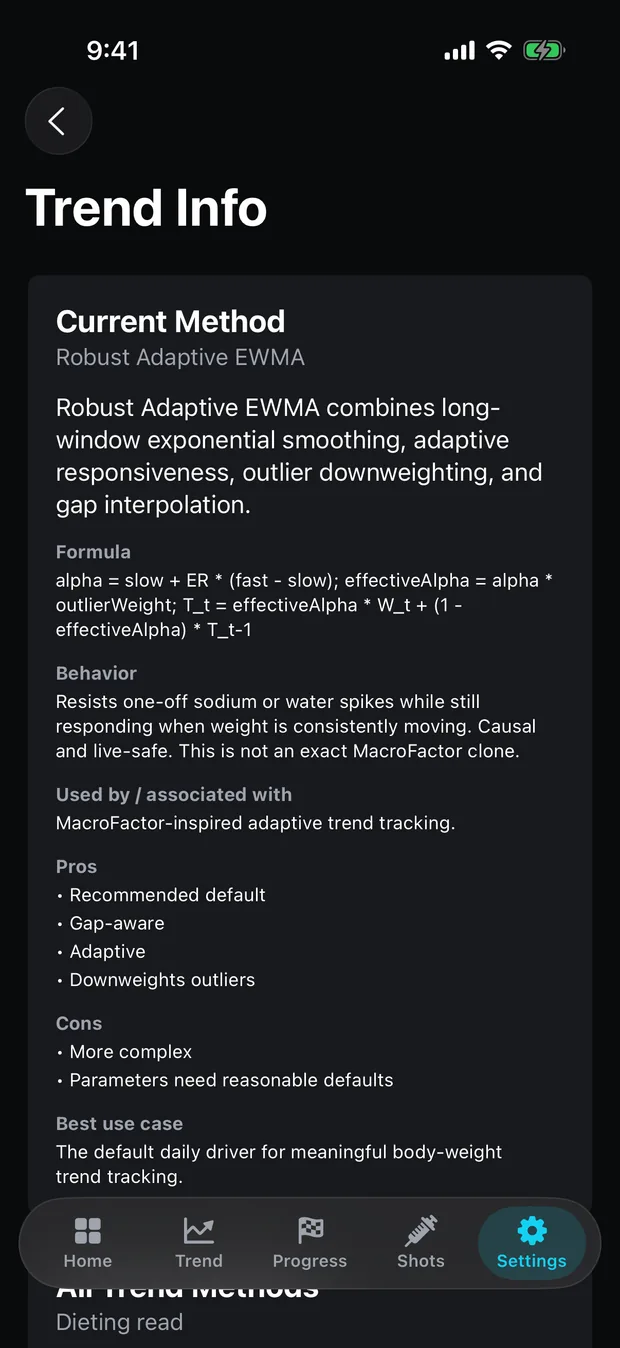
Peptrend’s answer to the same problem is to print a formula and a plain-English explainer for each of its fifteen methods inside the app, and again on the method list. That matches what TrendWeight publishes.
| TrendWeight | Peptrend | |
|---|---|---|
| Platform | web, any browser | iPhone and iPad, iOS 17 |
| Price | free, forever | free tier plus a paid Pro tier |
| Source code | MIT-licensed, public | closed |
| Smoothing methods | 1, published in full | 15, each with a published formula |
| Default | ESMA, α = 0.1 | Robust Adaptive EWMA |
| Weekly rate | least squares over the last 14 trend values | 7-index look-back on the trend line; OLS on the Progress tab |
| Missed days | linear interpolation | linear interpolation, per-method and switchable |
| Same-day weigh-ins | first of the day only | averaged; last raw value kept for the dot |
| Calorie constant | 3,500 kcal/lb, fixed | 3,500 kcal/lb, adjustable 2,500–4,500 |
| Maintenance band | goal ± 2.5 lb / ± 1.134 kg | none |
| Weight input | typed into the site, or a Withings account; Fitbit sync ending September 2026 | manual entry, Apple Health read, manual entries written back, JSON import |
| Export | CSV download and a personal API | JSON, a partial export |
| Dose or injection log | not advertised | mg, time, site, route, taken, pain, vial |
Why do two apps with the same formula disagree?
Peptrend runs α = 0.1 exponential smoothing too, and both apps fill gaps by linear interpolation. Peptrend just lets you turn the second one off, and one user’s log shows what that switch is worth: 84 weigh-ins over 225 days, ending 22.0 lb down from a 205.0 lb high.
Peptrend’s plain EWMA method and its Hacker’s Diet method are the same recurrence at the same α = 0.1. The only difference between them is the gap rule — EWMA interpolates by default, Hacker’s Diet hard-codes it off and steps straight over missing days. On that identical file, at default settings, the two lines finish 1.5 lb apart: 184.5 lb against 186.0 lb. One rule about days you did not weigh, and 1.5 lb of disagreement. What interpolation does to the line has the rest of that argument.
The rate calculation differs too, and TrendWeight’s is the more conservative design. It fits a least-squares line through the last 14 trend values. Peptrend’s per-point rate is a 7-index look-back — today’s trend value minus the one from seven days earlier — which reacts faster and is noisier for it. Where Peptrend does regress, on the Progress tab, it uses an ordinary least-squares slope over the selected window and refuses to report anything at all when the window spans fewer than three days.
Same-day weigh-ins are the third split. TrendWeight uses the first reading of each day and discards the rest. Peptrend averages every included reading on a calendar day into the daily series, then keeps that day’s last raw value separately so the scatter dot still shows what the scale actually said.
Do you need more than one smoothing method?
TrendWeight offers one smoothing method and publishes it completely. That is a defensible product decision — a single well-chosen filter, fully explained, is a complete product.
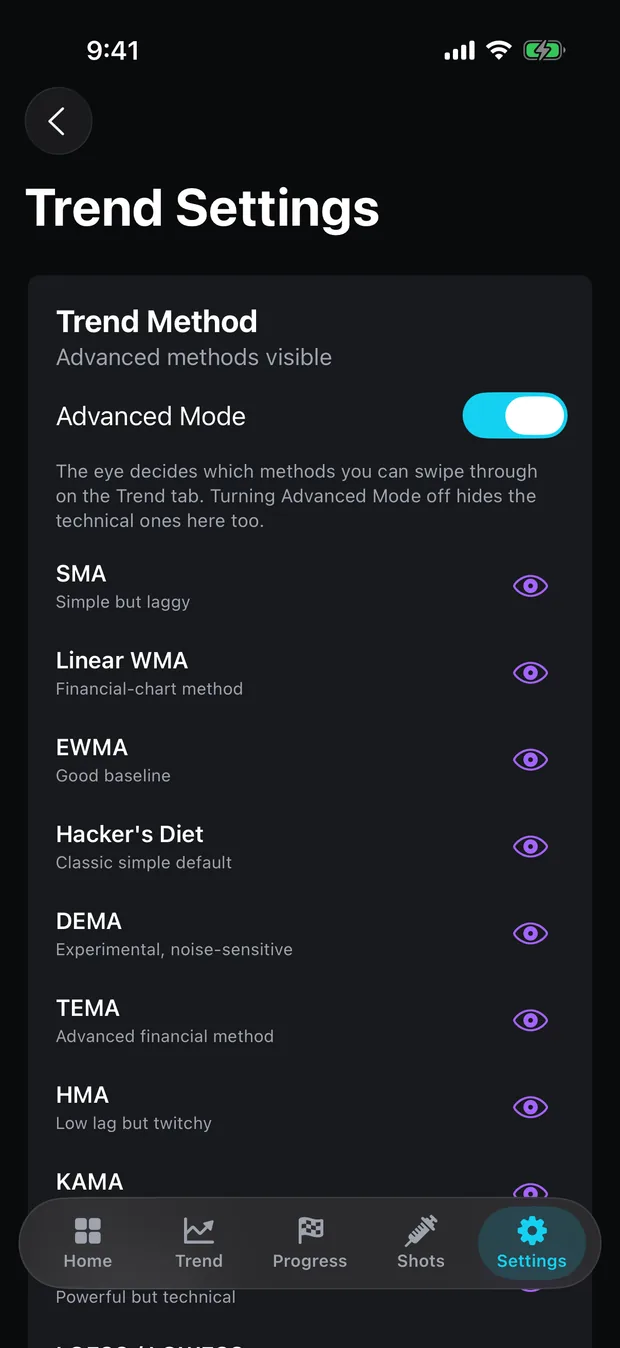
Peptrend offers fifteen; from 1.4.0, coming soon, a fresh install starts with three on the method strip, the rest sit a tap away in Settings, and the advanced list is Pro. They trade differently: HMA cuts lag hard and follows the scale closely, KAMA barely moves at all. The default, Robust Adaptive EWMA, stacks three mechanisms: an efficiency ratio that slides α between 0.04 and 0.22 depending on how directional the last 14 days were, a MAD-based down-weighting that shrinks any reading more than 2.5 robust sigmas off the line, and gap interpolation.
The spread is the reason to care. Run all fifteen over that same 84-weigh-in file at default parameters and the final trend readings land across 4.0 lb, from 182.9 lb for HMA to 187.0 lb for KAMA. Fifteen defensible answers to one question. Choosing a trend method is about picking your position in that spread deliberately, and the EWMA explainer converts the α dial into days of lag so the trade stops being abstract.
Do you need a Withings or Fitbit scale for TrendWeight?
No. TrendWeight’s FAQ answers the question directly: “No. TrendWeight has a built-in weight log.” You type a weigh-in on the site and get the same charts as someone with a connected scale. A Withings scale, or a Withings account you type into, still syncs on its own. Fitbit is on the way out: the FAQ says Google is retiring the API TrendWeight reads it through, that syncing is expected to stop in September 2026, and that history already synced stays. Apple Health appears nowhere in its README or FAQ; TrendWeight does not advertise a Health integration. What it does advertise, and Peptrend does not have, is a CSV download and a personal API for your own data.
Peptrend takes weigh-ins typed in by hand, reads body mass from Apple Health, and imports a JSON file in the shape several dose trackers already export. Body mass goes back out as well as in: allow the write toggle on the permission sheet and every weigh-in you type in from then on goes back to Health, so your other apps show the same numbers. Editing a weigh-in replaces the sample it wrote; deleting one inside Peptrend leaves the Health sample where it is. Rows that arrived from Health or from a JSON file are never written back. Changes made in Health reach the app only while it is open. Weigh-ins, doses and vials sync through your own private CloudKit database, which is why the privacy page is short. Importing from Apple Health covers what crosses that boundary and what does not. Peptrend does no CSV in either direction; its import and export are JSON only, and the export is a subset rather than a full backup.
What does Peptrend add if you are injecting a GLP-1?
A dose log the weight chart can see; dose, injection and reconstitution tracking appear nowhere in TrendWeight’s documentation. Eleven medication presets carry a published half-life, a Tmax and a bioavailability figure. The app lists where those numbers come from, with live links to FDA labels and pharmacokinetics papers for the approved GLP-1s. Five presets are flagged not FDA approved, research use only, and their half-lives are best published estimates. From those constants the app runs a one-compartment model with first-order absorption and elimination and shows an estimated milligram amount still in the body — a decayed-and-absorbed quantity derived from a published half-life, best read as a shape.
There is also a reconstitution record: vial strength in mg, bacteriostatic water in mL, one output in mg/mL, and a history of what you mixed. It will not tell you what to draw, on purpose. Peptrend against Shotsy is the comparison where dose logging is actually contested; Peptrend against Happy Scale is the one where a proprietary default algorithm is.
Which one should you use?
If you want a trend line, are not injecting anything, and are happy to type weigh-ins into a web page or let a Withings scale sync them, TrendWeight opens in a browser with nothing to install. It is free forever, the source is public, and the maths is published.
Peptrend is for what TrendWeight does not advertise: an iPhone app, weigh-ins that come from Apple Health, a dose ramp and a vial history that need to sit on the same timeline as the weight, and a menu of filters you can compare against each other. The method list is public, and what stays free lists the dose log, the vial history and every weigh-in outside the paywall. Support takes corrections when the arithmetic looks wrong. TrendWeight set the standard that a formula should be checkable by a stranger, and that only works if strangers check it.
Common questions
Is TrendWeight free?
Yes. Its about page says 'TrendWeight is free, forever', and its FAQ says 'It will always be free.' The source is MIT-licensed on GitHub under ervwalter/trendweight.
Does TrendWeight have an iPhone app?
No. It is a web application, so it opens in any browser on any device, and its FAQ says there are no plans for a native mobile app.
What smoothing does TrendWeight use?
A single exponentially smoothed moving average with alpha = 0.1, published as S_t = alpha·X_t + (1 − alpha)·S_(t−1). It credits John Walker's The Hacker's Diet by name for the methodology.
Can TrendWeight log GLP-1 injections?
It does not advertise dose, injection or reconstitution tracking anywhere in its README, FAQ or about page. It is a weight-trend app, and its own documentation is clear about that scope.
Does TrendWeight work with Apple Health?
Apple Health appears nowhere in its README or FAQ, so TrendWeight does not advertise a Health integration. Weigh-ins reach it by typing them into its built-in weight log or from a connected Withings account; its FAQ says Fitbit syncing is expected to stop in September 2026.