Best weight trend and GLP-1 tracker apps in 2026, compared
No app found does all three jobs, so pick by the job you have. The high-volume GLP-1 trackers log injections and rotate sites but do not advertise reconstitution maths. The smoothing apps publish a real trend algorithm and do not advertise injection logging. The peptide calculators do mg/mL and name no smoothing method. Apple Health is the free baseline. Checked 18 September 2026.
Is there one app that does trends, doses and reconstitution?
Three jobs sit next to each other on the same phone and are served by three separate sets of apps. The high-volume GLP-1 trackers log injections and rotate sites, and none of the three largest advertises reconstitution maths. The serious smoothing apps publish a real trend algorithm and do not advertise injection logging. The peptide calculators do the mg/mL arithmetic and name no smoothing method at all.
Every claim below about another app comes from App Store descriptions, vendor documentation and one open-source repository, first read on 8 August 2026 and re-checked on 18 September 2026. Where an app never mentions a feature, this post says it “does not advertise” that feature. Marketing copy leaves things out, nobody here installed and drove eleven apps for a week, and “does not advertise” is a claim a reader can check for themselves.
| App | Lane | Smoothing method named | Dose log | Site rotation | Reconstitution | Platform |
|---|---|---|---|---|---|---|
| Apple Health | built-in baseline | no — bucketed weekly/monthly/yearly views | no | no | no | iPhone, iPad; built in, free |
| Happy Scale | smoothing | 4 named; default’s formula not published | not advertised | — | not advertised | iPhone, iPad (iOS 16), Mac (macOS 14, M1) |
| TrendWeight | smoothing | ESMA, α = 0.1, published in full | not advertised | — | not advertised | web only; weigh-ins typed in or synced from Withings |
| Libra | smoothing | time-weighted EWMA, formula published | not advertised | — | not advertised | iPhone (iOS 13), Android |
| MacroFactor | smoothing | not named | not advertised | — | not advertised | iPhone, iPad (iOS 15.6), Apple Watch, Android; no free tier |
| Shotsy | GLP-1 tracker | no | yes | visual map, reads your history | not advertised | iPhone (iOS 18) |
| GlucoPal (listed as Zepbound & Mounjaro Tracker) | GLP-1 tracker | no — “weekly averages” | yes | automatic rotation map | not advertised | iPhone (iOS 15) |
| PeptidePal | peptide | not advertised | yes | interactive body map, heat-mapped | yes, shown on a syringe diagram | iPhone (iOS 18) |
| Peptide Tracker & Calculator | peptide | not advertised | yes | site map with rest periods | yes | iPhone, iPad (iOS 16.4) |
| PepCalc | peptide | not advertised | — | — | yes | iPhone, iPad (iOS 16.4); one-time purchase |
| Peptrend | all three | 15, parameters published for each | yes | round-robin by dose count | strength ÷ water = mg/mL | iPhone, iPad (iOS 17) |
The Platform column names the devices each listing says the app is designed for, and a Mac only where the developer has verified the app there. Most of these apps are also listed as compatible with Apple-silicon Macs and Apple Vision without that check, and the table leaves those out.
Can you just use Apple Health instead?
Apple Health is the free floor everything else is measured against. It is already on the phone, costs nothing, and charts body mass under Body Measurements. Apple’s guide describes the category screens as offering weekly, monthly and yearly views of the data. For a lot of people that is enough.
What it gives you is bucketed averages, not a filtered line. Apple’s own guide describes the Trends feature as alerting you to significant changes in data types like resting heart rate, number of steps and amount of sleep. Weight is not among the named examples, and Apple documents no exponentially smoothed weight trend anywhere in that guide.
One user’s log shows what that costs you: 84 weigh-ins over 225 days, a mean day-over-day change of 1.16 lb, and an underlying drift of 0.098 lb/day. The daily noise runs roughly 12 times the daily signal. Across seven and a half months that ended 22.0 lb down, 30 of the 83 intervals, 36%, showed a gain. A monthly bucket hides most of that, including the week your rate actually changed. Bodyweight is a time series is the longer argument for treating it as one.
Is Libra only on Android?
Libra Weight Manager ships on iOS, and the claim that it is Android-only turns up everywhere. Daniel Cachapa’s app has a US App Store listing, id 1644353761, requiring iOS 13 or later, and it connects to Apple Health.
Its iOS presence is small enough that the error is understandable. On 18 September 2026 the US App Store showed 3.8 stars from 6 ratings, against 4.2 stars from 20.4K reviews and 1M+ downloads on Google Play, where it launched on 30 March 2010. It is an Android product with an iOS port, and the port is worth checking before you commit to it.
Libra prints its maths, which almost nobody in this category does. Its support page publishes the recurrence verbatim — smoothingDays = 7, power = 1 - e^(time / smoothingTime), trend = previousTrend + power * (weight - previousTrend) — says smoothingDays is adjustable in advanced preferences, and credits its lineage plainly: The Hacker’s Diet “inspired Libra more than 15 years ago”. Scaling the smoothing weight by the real gap between weigh-ins is a good idea that most fixed-α implementations skip.
One caveat on that formula, strictly as an observation about a web page. As printed, the exponent carries no minus sign, which would make power negative for any elapsed time; the recurrence behaves as an adaptive EWMA only with a negative exponent. Nobody here has read Libra’s shipping code, and a typo in documentation says nothing about the app.
Which apps do real trend maths on your weigh-ins?
Three apps take the trend line seriously, and none of them advertises a dose log. Happy Scale is the largest by a distance — 4.89 stars from 57,931 US ratings on 18 September 2026, on iPhone, iPad and Apple-silicon Mac. Its description says it imports weight entries from Apple Health and exports all your weights back to Health, so Health holds every reading. It names four smoothing methods: Happy Scale Smoothing, Double Exponential Smoothing, Exponential Smoothing and Seven Day Moving Average. Its support page describes how each behaves and does not publish the algorithm behind the first one, which is the one it recommends. It cites no lineage either; John Walker and The Hacker’s Diet appear nowhere on it, so nobody should attribute his constant to it. Peptrend against Happy Scale is the comparison where a proprietary default algorithm is the whole argument.
TrendWeight sets the transparency ceiling and is free forever under an MIT licence. Its math page gives α = 0.1 and S_t = α·X_t + (1 − α)·S_(t−1), a weekly rate from least-squares regression over the most recent 14 trend values, straight linear interpolation for missed days, and 3,500 calories per pound. It no longer needs a Withings or Fitbit account. Asked whether you need a smart scale, its FAQ now answers “No. TrendWeight has a built-in weight log”, so weigh-ins can be typed into the site or synced from a Withings account; the same FAQ says Fitbit syncing is expected to stop in September 2026. It uses only the first weigh-in of each day, it does not mention Apple Health, and it is web-only, with no native app planned.
MacroFactor is the odd one out. Its help centre says only that “your weight trend is a moving average of your weight data that places greater emphasis on more recent weigh-ins,” and interpolates gaps. No algorithm is named, and nothing published says it runs a Kalman filter.
What do the big GLP-1 trackers do well?
The category leaders are strongest exactly where the smoothing apps are silent, and silent where the peptide apps are strongest. Shotsy showed 4.84 stars from 32,064 US ratings on 18 September 2026, free to download and marked “Only for iPhone” on iOS 18 or later; MeAgain, at 33,400, now has more. Its site describes the rotation feature well: “Shotsy tracks where you’ve injected previously and suggests the next site in your rotation.” GlucoPal, listed on the App Store as Zepbound & Mounjaro Tracker (4.81 from 2,981 ratings), advertises “an automatic injection-site rotation map”.
Neither names a smoothing algorithm. Shotsy’s site says you can “see trends weekly, monthly, or since you started your GLP-1 journey” — those are time ranges, and they say nothing about the filter. GlucoPal is more specific and more modest: “Weight trends with weekly averages”, which names a weekly mean and no algorithm behind it.
Neither advertises reconstitution. A keyword scan of Shotsy’s complete App Store description on 18 September 2026 returned no hits for reconstitution, vial, bacteriostatic, BAC, compound, mg/mL or syringe, and the same scan came back empty for MeAgain (33,400 ratings) and Glowise (6,495 ratings). Three of the biggest trackers in the lane, and none of them mentions the arithmetic of mixing a vial. Peptrend against Shotsy is where that comparison is argued properly, including the row where Shotsy is ahead.
Which apps have a reconstitution calculator?
The peptide apps do, and two of them have closed most of the gap from the other side — they are the real head-to-head competition. PeptidePal (Blank Labs LLC, 4.69 from 4,689 ratings, released 23 April 2026) ships reconstitution maths and “Tap-to-select on an interactive body map”, with recently used sites heat-mapped so the rotation shows at a glance. Peptide Tracker & Calculator (David Dzeveckij, 4.77 from 533 ratings) does reconstitution, imports from Apple Health according to its release notes, and keeps “a personalized map of injection sites with customizable rest periods”. Both body maps beat what Peptrend does, which is take your dose count, wrap it around the list of sites you have already used, and offer the one it lands on, which injection site rotation works through.
Neither advertises weight-trend smoothing. That is the seam this whole post turns on, and it is narrow enough that either app could close it in one release.
The calculators themselves diverge on purpose. PeptidePal’s description says you enter vial size, diluent volume, desired amount and syringe size, and it shows the result on a syringe diagram. Peptrend takes two inputs and returns one number — strength in mg, water in mL, out comes mg/mL — and refuses to convert a target dose into millilitres or units. Those functions existed and were removed, because dose-to-volume arithmetic makes an app a drug dosage calculator under App Store Review guideline 1.4.2. Why a calculator should refuse is the long version; the mg/mL arithmetic is one division, and that post is mostly about how people get it wrong.
When one of the others is the better pick
For several of the jobs below, one of the apps above is the better buy.
- You are on Android. Peptrend is built for iPhone and iPad on iOS 17, with no web version and no Android build. Libra and Shotsy both have Play listings. Not a close call.
- You want a cheap native smoothing app with a track record. Happy Scale and Libra both list sub-$2 monthly SKUs; Happy Scale has 57,931 ratings behind it. The SKU table below has the detail.
- You want Apple Health to hold the canonical copy. Happy Scale exports every weight back to Health. Peptrend writes back only the weigh-ins you enter by hand, and only while the write switch for Peptrend is on in the Health app. Turning it off there stops the mirroring. Rows that arrived from Health or a JSON import stay put — importing from Apple Health covers what crosses that boundary.
- You want a real body map with rest periods. PeptidePal and Peptide Tracker & Calculator both advertise one. Peptrend’s rotation is a counter.
- You only need the calculator. PepCalc listed at $9.99 once on 18 September 2026, 4.79 stars from 950 ratings, shipping since July 2020. Hard to beat for a single division.
- You want free and open, and a browser is fine. TrendWeight costs nothing and takes typed weigh-ins or a Withings sync. The comparison against TrendWeight is the hardest fight in this cluster and does not pretend otherwise.
What do these apps cost?
No single number describes what any app costs, and quoting one is how comparison posts get caught out. The App Store In-App Purchases panel lists top SKUs including promotional, regional and A/B-test variants, so it is not the offer a given user sees at checkout. Shotsy’s US panel listed five distinct SKUs on 18 September 2026. GlucoPal listed nine distinct prices, one of them $0.00. MeAgain listed eight, spanning $14.99 to $119.99.
| App | Listed SKUs, US App Store, 18 Sep 2026 |
|---|---|
| Apple Health | free, built in |
| TrendWeight | free forever, MIT-licensed |
| Libra | Pro monthly $1.99, Pro yearly $17.99 |
| Happy Scale | Deluxe monthly $1.99, yearly $11.99, lifetime $39.99; Premium lifetime $39.99; four tip IAPs $0.99–$9.99 |
| PepCalc | $9.99, one-time purchase |
| Peptide Tracker & Calculator | monthly $3.99 and $4.99, yearly $19.99 and $24.99 |
| MacroFactor | $11.99/month, $47.99/half-year, $71.99/year; free trial, no free tier |
| Shotsy | monthly $9.99, $14.99, $19.99; yearly $39.99, $59.99 |
Every row of that table was true on one day in September. Peptrend’s own tiers are on its App Store listing, which is the only authority worth quoting for any app here, and what survives without a subscription is itemised in what stays free.
How do you pick between them?
Which app wins depends on which of the three jobs you have. Weigh yourself and nothing else: TrendWeight if a browser tab suits you, Happy Scale if you want every weigh-in mirrored into Health, not only the ones you typed. Inject a prescribed GLP-1 and never mix a vial: Shotsy, with 32,064 ratings and a rotation map that reads your history. Mix vials and ignore the weight line: PepCalc, one payment and no subscription.
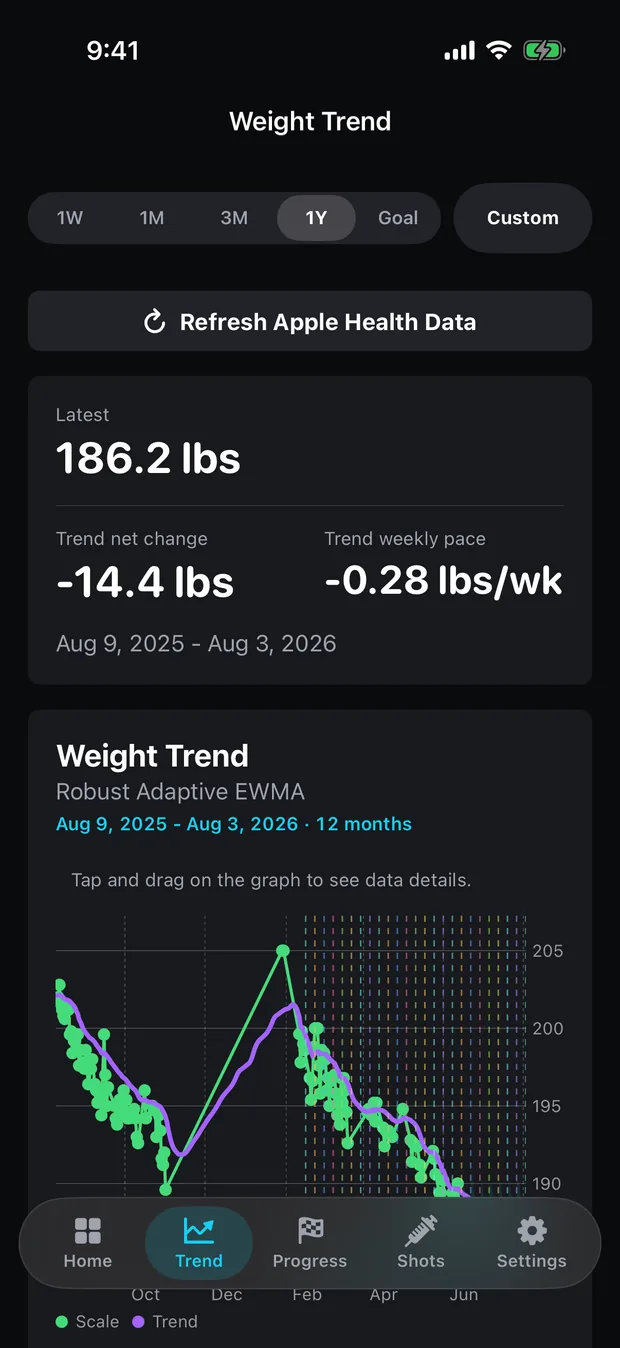
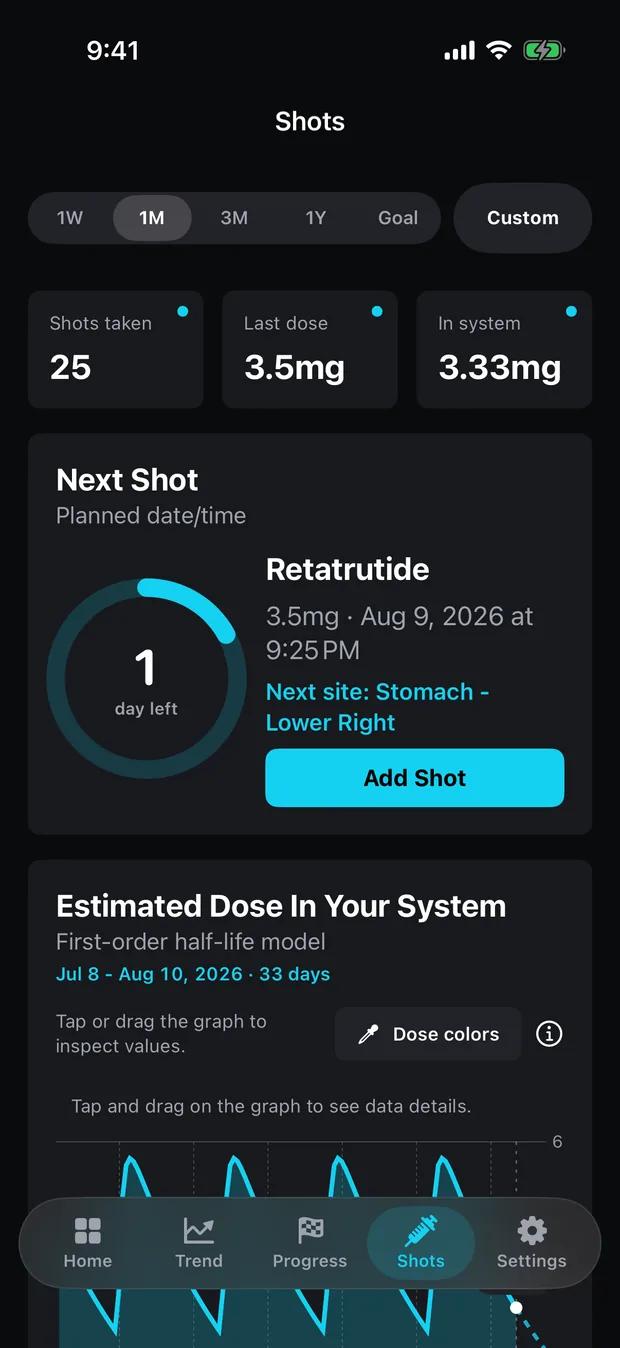
Peptrend is for the overlap, and only the overlap. A dose ramp, a vial record and a weight line that need to sit on one timeline, plus a filter you can check. Fifteen methods, each published on the method list with its default parameters, whether it reads future points, and what it does on a day you skipped. That spread is worth caring about because it is measurable: run all fifteen over the same 84-weigh-in log at default parameters and the final trend readings land across 4.0 lb, HMA at the bottom and KAMA at the top. Fifteen defensible answers to one question, and a gap wider than a month of that log’s real progress. Choosing a trend method is about picking your spot in that range on purpose.
John Walker printed his smoothing constant in The Hacker’s Diet — 0.9, meaning each new reading carries 10% of the weight, which he called “roughly equivalent to a 20 day simple moving average in terms of lagging the trend”. The Third Edition dates from 1994, the Fourth from November 2005. Thirty-two years after that first web edition, most of this category still will not tell you which filter drew your line. Peptrend keeps your data in your own private CloudKit database and nowhere else, which is why the privacy page is short. If any figure above is out of date, say so through support and it gets corrected.
Common questions
Is there one app that does both GLP-1 dose logging and weight trends?
Of the eleven compared here, checked on 18 September 2026, only Peptrend advertises all three jobs — dose logging, named trend smoothing and mg/mL reconstitution. Two peptide apps, PeptidePal and Peptide Tracker & Calculator, advertise dose logging and reconstitution but no weight-trend smoothing. Everything else sits in one lane.
Is Libra only on Android?
No. That is the most repeated error in this category. Libra Weight Manager by Daniel Cachapa has an iOS build on the US App Store, id 1644353761, requiring iOS 13 or later. Its iOS traction is small — 3.8 stars from 6 ratings on 18 September 2026, against 4.2 stars from 20.4K reviews and 1M+ downloads on Google Play.
What is the best free weight-trend app?
TrendWeight, if a browser suits you: it is free forever, MIT-licensed, publishes every constant it uses, and takes weigh-ins typed into the site or synced from a Withings account. Apple Health if you would rather stay in an app already on the phone. Neither costs anything and neither advertises injection logging.
Which GLP-1 trackers have a reconstitution calculator?
The peptide-focused apps do — PeptidePal and Peptide Tracker & Calculator both advertise one. The three largest GLP-1 trackers by review volume do not advertise reconstitution maths anywhere in their App Store descriptions, checked 18 September 2026. That is a claim about published marketing copy; nobody here installed and drove each app.
Does Apple Health draw a weight trend line?
It charts body mass, and Apple's guide describes weekly, monthly and yearly views of a category's data, which gives you bucketed averages. Apple's own documentation for the Trends feature names resting heart rate, number of steps and amount of sleep as the metrics it watches. Weight is not among them, and Apple documents no exponentially smoothed weight trend.
Sources
- Libra Weight Manager on the US App Store
- Libra — how the trend is calculated
- Happy Scale — Support (smoothing methods)
- Happy Scale on the US App Store
- The math of TrendWeight
- TrendWeight — FAQ
- TrendWeight — source repository (MIT)
- MacroFactor — Weight Trend (help centre)
- MacroFactor — pricing
- Apple — View your data in Health on iPhone
- shotsyapp.com — feature list and FAQ
- Shotsy GLP-1 Tracker on the US App Store
- GlucoPal on the US App Store (listed as Zepbound & Mounjaro Tracker)
- PeptidePal — Peptide Tracker on the US App Store
- Peptide Tracker & Calculator on the US App Store
- PepCalc: Peptide Calculator on the US App Store
- The Hacker's Diet — Signal and Noise (John Walker)