
How to import your weight history from Apple Health
One tap on Refresh Apple Health Data reads every body-mass sample Health holds, back to the first, de-duplicated on Apple's own sample UUIDs. Peptrend asks to read and write body mass: grant the write toggle and weigh-ins you type in are saved back, while Health and imported rows never are. Athlete Mode, coming in 1.4.0, reads ten fitness types only when on. No background delivery, no CSV import.
If your scale writes weight to Apple Health, Peptrend reads that history back to the first sample in one tap. Reading happens on that tap. Writing happens on its own once you allow it, and only for weigh-ins you type in yourself.
Which Apple Health data does Peptrend read?
Body mass, on both sides of the request. In the 1.4.0 source, what the read set holds depends on one flag:
var read: Set<HKObjectType> = [bodyMass]
if athlete { read.formUnion(AthleteMetric.readTypes) }
store.requestAuthorization(toShare: [bodyMass], read: read)
For a weigh-in, both sets hold the same single member, HKQuantityTypeIdentifier.bodyMass, which Apple’s documentation defines as “A quantity sample type that measures the user’s weight” (Apple Developer Documentation). The read half pulls your scale’s history in; the write half saves the weigh-ins you type in yourself back out. Body mass is the only type on the share side, so it is the only type ever written back.
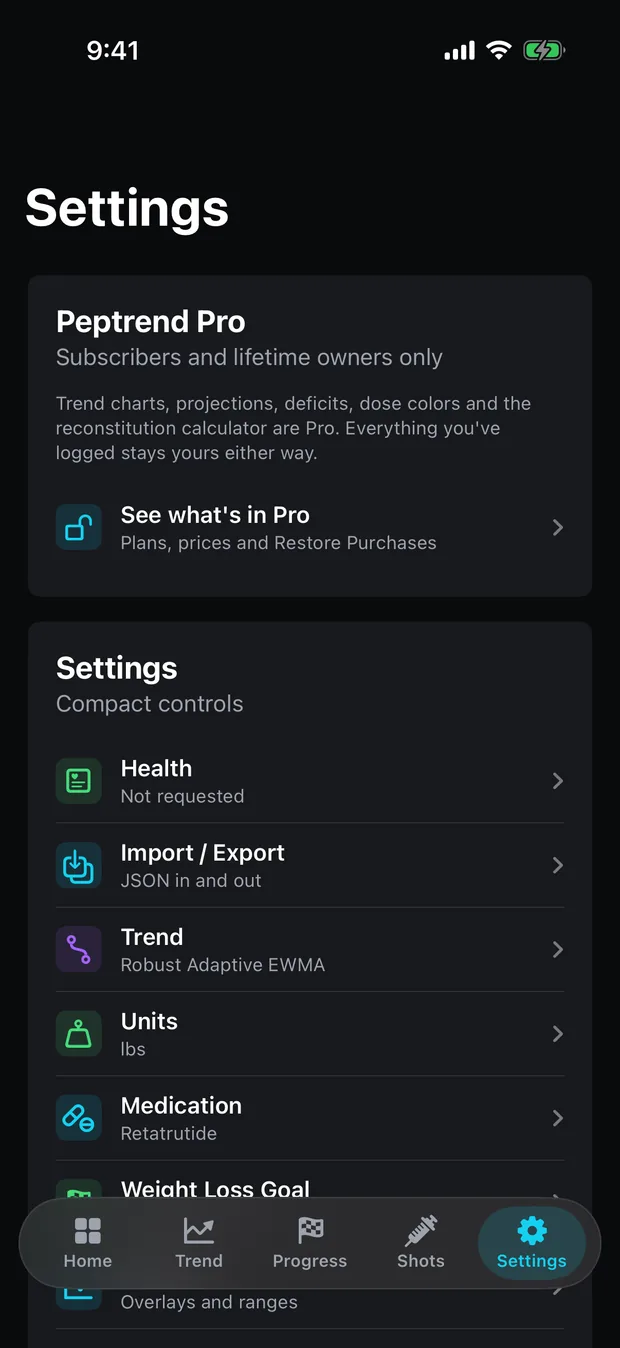
The athlete flag is Athlete Mode, arriving in 1.4.0 and off until you switch it on. Switch it on and ten fitness metrics join the read set — VO₂ max, heart rate variability, resting heart rate, cardio recovery, walking heart rate average, respiratory rate, blood oxygen, sleeping wrist temperature, exercise minutes and active energy — so the app can chart them beside your dose history; what Athlete Mode is and what it refuses to say covers that tab on its own. They are asked for at that moment and not before, which is why the sheet you see during a weigh-in import lists body mass on its own. Peptrend only reads those ten. Outside them nothing is requested at all: no body fat percentage, no lean mass, no waist, no nutrition, no clinical records. Weight remains the only body metric an import puts in the app’s own database, and the rest of this post is about that import.
Samples arrive in kilograms, read with HKUnit.gramUnit(with: .kilo), and kilograms is what the app stores; display converts at 2.2046226218 lb per kg, pounds by default. A metric scale and an imperial one land in the same series, with no conversion step from you. What happens to those samples afterwards is on the privacy page.
Can the app tell whether you granted read access?
No. Apple withholds read-permission status from apps deliberately, so an app cannot learn whether someone granted or denied read access. Write permission iOS does report, and that is what the app checks before mirroring a weigh-in, and what the Health row in Settings shows. A read denial does not make queries fail either: they return only the samples that app saved to HealthKit itself (Authorizing access to health data). If you granted the write toggle, Peptrend has saved the weigh-ins you typed in, so a refusal on the read side hands those back and nothing else. Refuse both and the query comes back empty.
That is why the Health row in Settings reports only what iOS actually exposes. Not yet asked reads Not requested. Granted reads Authorized. The third state reads Denied or read-only status hidden, because HealthKit reports the same status for a real denial and for the ordinary read-only case, and the app is not going to guess between them.
So if a refresh brings back nothing and you know your scale writes to Health, the fix is in iOS Settings → Privacy & Security → Health, where you can see and change what Peptrend was granted. Nothing in the app can override that, or even detect it.
Does Peptrend write your weight back to Apple Health?
Yes, if you allow it. The share set means iOS draws a write toggle on the permission sheet, and granting it lets Peptrend save a body-mass sample as soon as a weigh-in you typed in lands locally. Refuse the toggle and nothing is written, with no other effect on the app.
Only weigh-ins you typed in yourself go back. A row that arrived from Health is already there, and a row from a JSON file belongs to whichever app wrote it, so both are skipped. Edit a weigh-in later and Peptrend deletes the sample it wrote before and saves a replacement, because a Health sample cannot be changed once written, and an app can only delete samples it authored itself. The row in Peptrend is the record of truth: a failed save is logged and the weigh-in stays where it was saved.
Deleting a weigh-in inside Peptrend leaves its Health sample where it is. Deleting everything inside Peptrend touches no Health sample either, and the confirmation dialog says so before you tap it. Turning on Sample Data hides your Apple Health and manual entries until you turn it off, and deletes nothing of yours. Anything you want gone from Health comes out in the Health app.
How far back does the import go?
As far back as Health goes. The query runs from distantPast to now, sorted ascending, with no result limit. Every body-mass sample Health will hand over comes across in one pass — five years of it if that is what you have.
Length matters more than it sounds, because a trend filter starting today has nothing to smooth.
- Most methods report their rate as
trend[i] − trend[i−7], a seven-index look-back on the trend line. Before a seventh point exists the app falls back to a scaled one-step difference, and the first point has no rate at all. - The default method, Robust Adaptive EWMA, sizes its adaptive alpha from an efficiency ratio over a 14-day window and sets its outlier threshold from a median absolute deviation over a 14-day residual window. On a three-day-old log both are nearly empty, so the machinery that shrugs off one bad reading has almost no estimate of your spread to work with.
In one user’s log — 84 weigh-ins over 225 days — consecutive weigh-ins differed by 1.16 lb on average against an underlying drift of 0.098 lb/day. The noise runs 11.9 times the signal, and 30 of 83 intervals showed a gain across a stretch that ended 22.0 lb down. what an overnight gain is actually made of covers where that pound of movement comes from, and signal to noise on your scale works through what it does to the estimate.
Import two years of scale history and the line arrives already converged, with a real read on your own day-to-day spread behind the outlier guard. Start empty and you spend a fortnight watching a filter find its feet.
Will importing twice duplicate your weigh-ins?
No. Every HealthKit sample carries a UUID. Peptrend stores that UUID on the row it creates, and each import builds a set of the UUIDs it already holds, then inserts only the samples missing from it. Tap Refresh Apple Health Data five times in a row and taps two through five insert nothing. The status line reports how many samples it read, and adds a (0 new) when none of them were.
Two sources, one day. Another app’s JSON export can carry the same weigh-ins your scale already wrote to Health, so importing that file after a Health import delivers the same measurement twice — once tagged Imported, once tagged Apple Health. When an imported row falls on the same calendar day as a Health row and the two sit within 0.05 kg of each other, the imported copy is dropped and the Health row survives, because that one carries the sample UUID that makes future imports idempotent.
One source, one day. Weigh three times on a Tuesday and the daily series averages the three into a single value for that day. The day’s last raw reading is kept separately, and that is the dot you see on the chart.
Settings → Data shows the audit: a count per source (Apple Health, Manual, Imported, Sample), a Counted twice figure that goes amber when it is not zero, and a Merge duplicates now button that runs the same pass on demand and reports how many rows it removed.
An imported history will also have gaps, from the weeks your scale was in a suitcase. What the line does across those depends on the method, and for two of them on the global interpolation setting — straight-line fill for some, skip the day outright for others. Interpolation changes the line has the comparison, and the per-method parameters are listed on the methods page.
Does the import run in the background?
No, it runs when you ask. Waking an app for new Health samples needs the com.apple.developer.healthkit.background-delivery entitlement — a Boolean that lets observer queries fire in the background (Apple Developer Documentation). Without it, enableBackgroundDelivery(for:frequency:withCompletion:) fails with errorAuthorizationDenied (Apple Developer Documentation). Peptrend does not request the entitlement, and the reasoning sits in a comment beside the code: the app has no cause to wake in the background for a weigh-in it will read on the next launch anyway.
So the import happens at moments you choose:
- During onboarding, if you back-date your start. A start date of today skips the Health page — there is nothing to look up. Set it in the past and the app offers to read the weight for that day, or the nearest sample to it, so you are not reconstructing a number from memory.
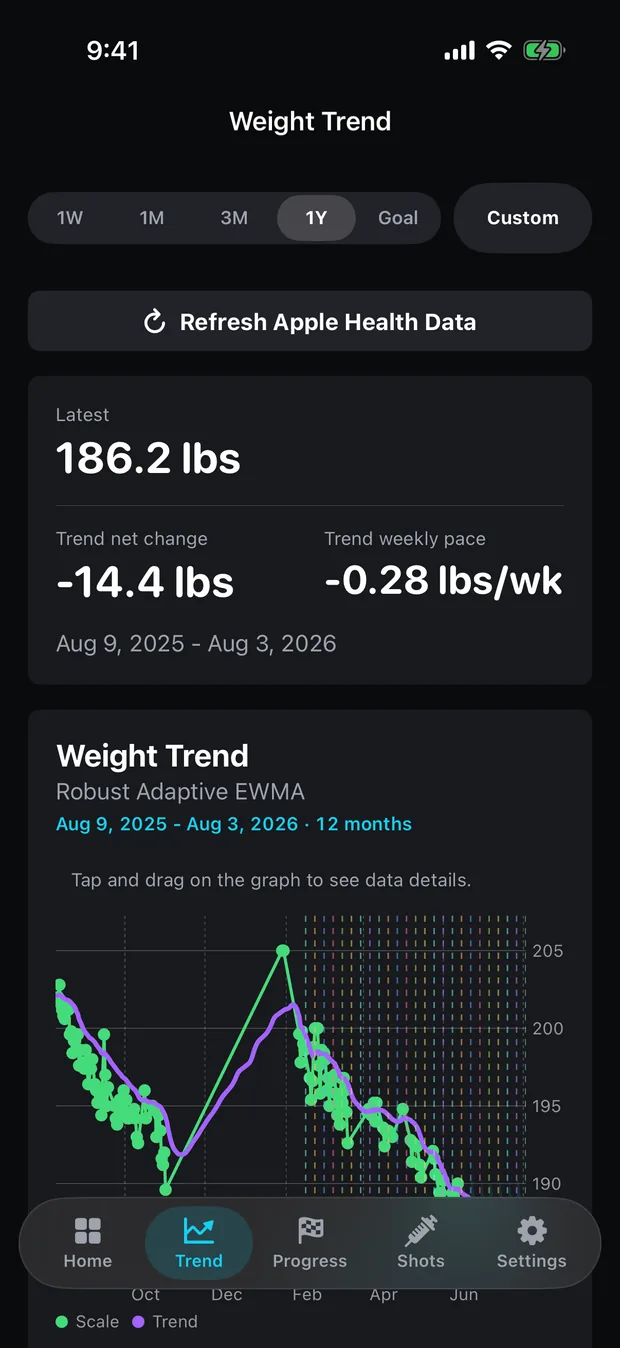
- Any time after, from the Refresh Apple Health Data button, which sits on the Trend tab, on Settings → Scale Data and on Settings → Health.
Each import turns the sample weigh-ins off, so they cannot hide the real history that just landed; sample doses and vials are a separate choice and are left alone, and no real row is ever removed. Settings → Health also shows the last sync time. None of it is behind the paywall — Health import, JSON import and export, iCloud sync and dose reminders all sit on the free side, along with everything else that stays free.
Can you import a CSV, or an export from another tracker?
The file picker accepts .json and nothing else. The shape it reads is a top-level days array, each entry keyed by that day’s Unix timestamp in seconds, holding that day’s shots and optionally a Weight:
{
  "days": [
    {
      "1767225600": {
        "shots": [
          {
            "medicationName": "Semaglutide",
            "dosageStrength": 1.0,
            "timestamp": 1767225600,
            "taken": true,
            "deliveryMethod": "injection",
            "injectionSite": "Abdomen - Left"
          }
        ],
        "Weight": { "value": 186.2, "unit": "lbs" }
      }
    }
  ]
}
The app’s own import screen says several popular dose-tracking apps export this shape already, so their exports usually import without editing. Doses are milligrams. A weight takes a value and a unit, where lbs and lb are converted and anything else is read as kilograms. A deliveryMethod of oral marks a tablet and every other string reads as an injection, deliberately, so an unfamiliar word can never scale a real dose down a hundredfold.
Duplicate doses are caught on a composite key: medication name, dose to four decimal places, the Unix second, and the injection site, all lower-cased. Fields the parser does not recognise are counted and skipped rather than rejecting the file, so a partial match still imports and the summary tells you exactly what happened — doses imported, duplicates skipped, schedules, injection sites, weights, and how many fields were ignored. An export with some other extension imports once it is renamed to .json.
There is no CSV import and no CSV export. The export is JSON, and it carries a subset of what the app holds: weights, doses and goals travel; vials, schedules, the injection-site list, settings and colours do not. If a file will not go in, support is where to send it.
What to do once the history lands
The Trend tab at 1Y is where an imported history shows up first. If it is long enough, the line is useful on day one, with no warm-up to sit through. The Weight Trend chart is one of the Pro features; Settings → Scale Data plots the same imported weigh-ins raw, free.
A method chosen once and left alone reads better than one switched weekly. From 1.4.0, coming soon, a fresh install offers three methods on the Trend tab’s swipeable strip, with the rest a tap away in Settings and the advanced list in Pro. Across all fifteen, final readings span 4.0 lb on identical data, so the question is how much lag you will accept to get a steadier line; choosing a trend method lays the trade out. If you are logging injections beside the weight, settle early on what to record with every dose, so the two series still line up later.
Weight travels in both directions, and it is also an input to readings you may not think of as weight-dependent: Apple Watch feeds it into the cardio fitness estimate, so a VO₂ max figure moves when your weight does.
Your scale did the tedious part years ago. The import just goes and collects it.
Common questions
Does Peptrend write my weight back to Apple Health?
Yes, if you grant write permission, and only for weigh-ins you typed in yourself. A row that came from Health or from a JSON import is never written back. Deleting a weigh-in in Peptrend leaves its Health sample where it is.
What Apple Health data does Peptrend read?
Body mass, which is what this post is about. Athlete Mode, coming in 1.4.0, adds ten fitness metrics — VO₂ max, heart rate variability, resting heart rate, cardio recovery, walking heart rate average, respiratory rate, blood oxygen, sleeping wrist temperature, exercise minutes and active energy — and they are asked for only when you turn that mode on. Nothing else: no body fat percentage, lean mass, waist, nutrition or clinical records. Body mass is the one type written back.
Will importing twice duplicate my weigh-ins?
No. Every HealthKit sample carries a UUID, Peptrend keeps that UUID on the row it creates, and each import skips any sample whose UUID it already holds. Tap refresh five times and only the first tap inserts anything.
Can I import a CSV of my old weigh-ins?
No. There is no CSV import and no CSV export. The file picker accepts .json only, and reads a doses-and-weights shape built around a top-level days array. Weight history from Apple Health arrives through HealthKit, with no file involved.